Reports & Analytics
Strategic HR decisions — powered by data
Live dashboards, 400+ reports, and a no-code report builder.
Nova HR turns all your employee data into actionable insights — from live executive dashboards, to audit-ready detailed reports, to predictive turnover analytics.
See the real executive dashboards
4 live dashboards from inside Nova HR — from company KPIs to the supervisor portal. Browse and see what your data will look like.
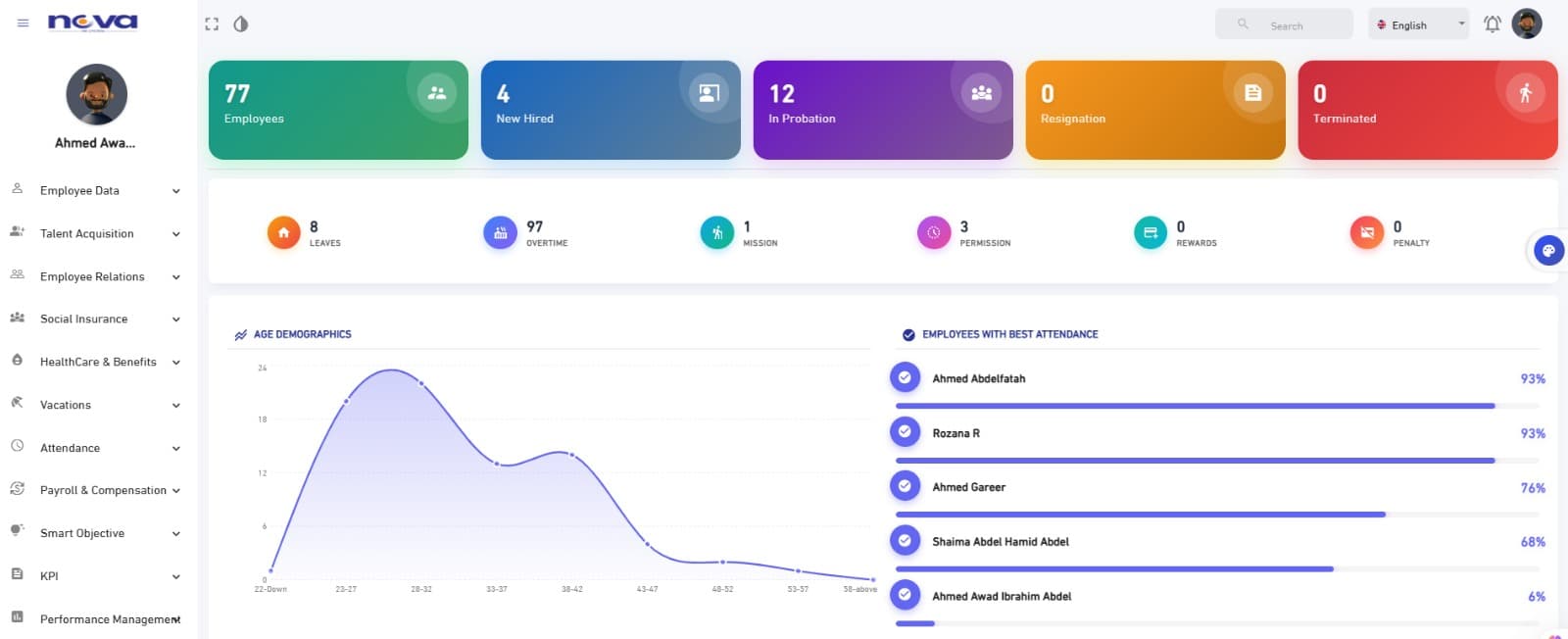
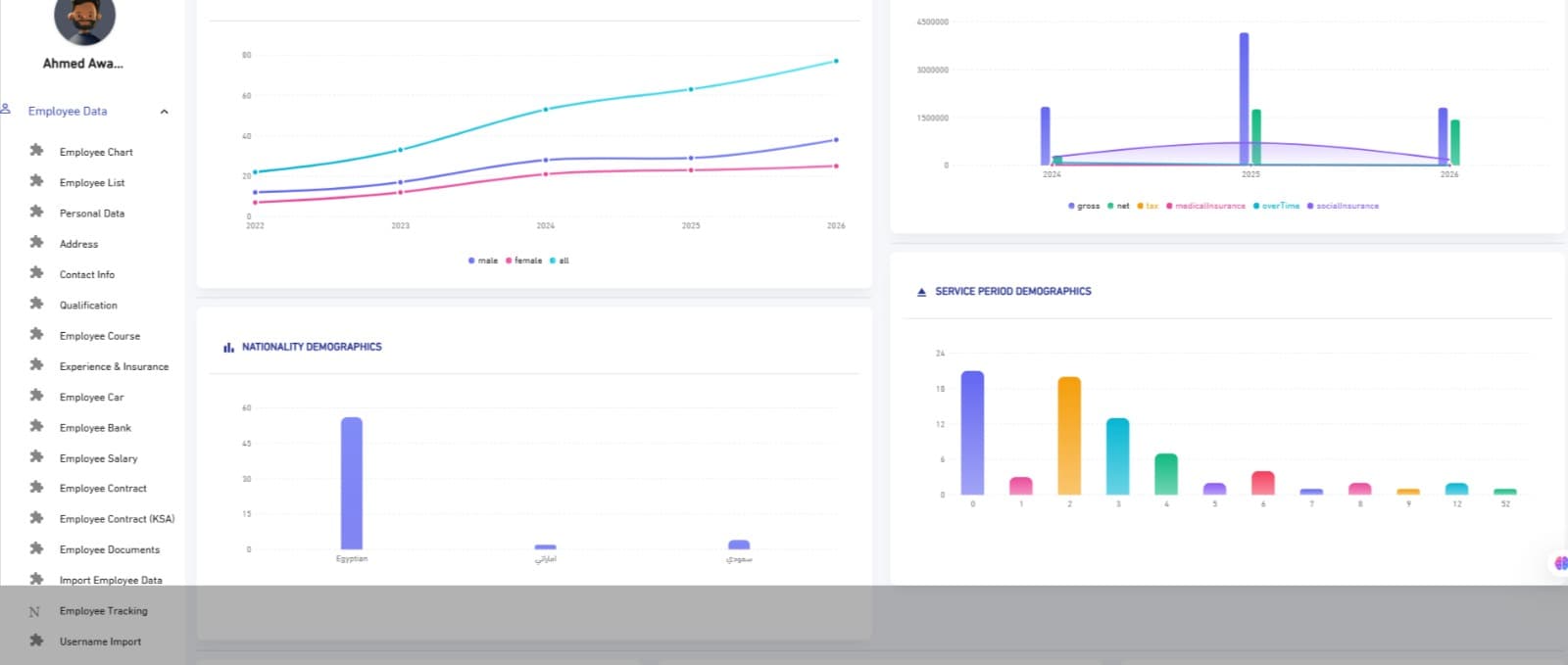
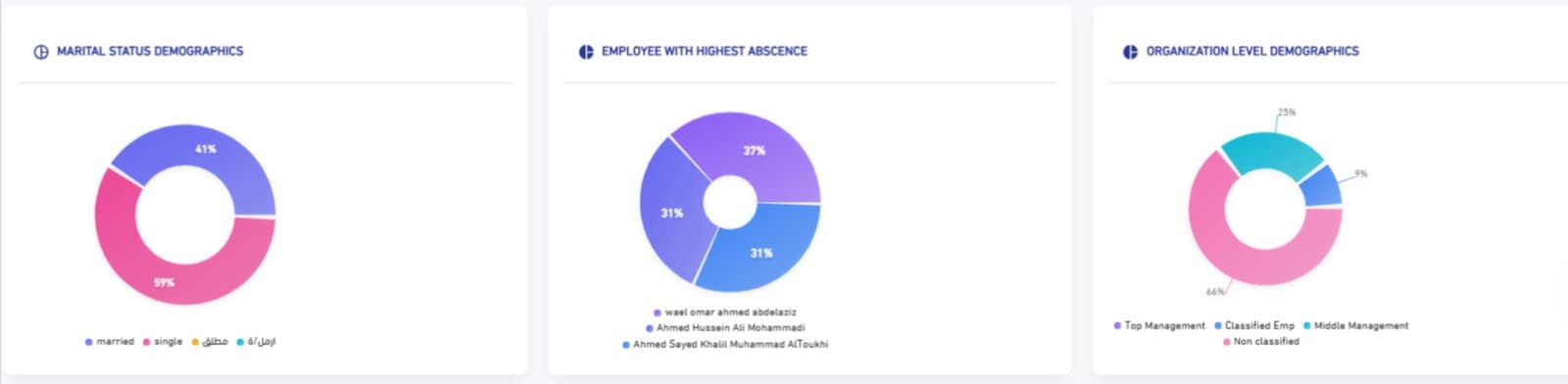
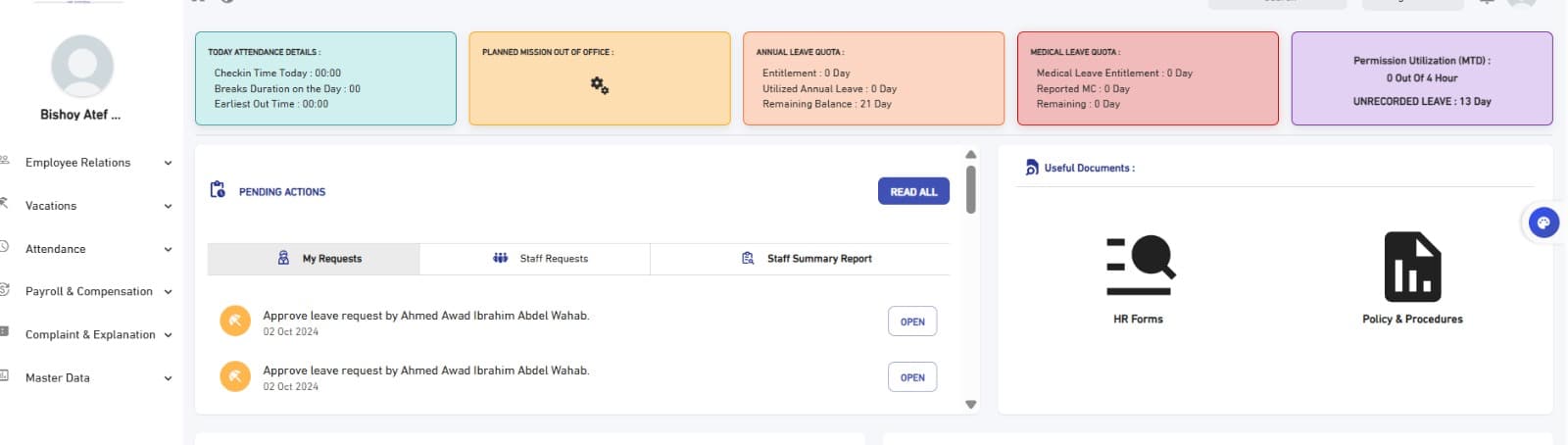
Overview·Company KPIs — employees, hires, leaves, and top attendance.
Every number you need — in one place
Live dashboards
Key HR KPIs updating in real time from every department.
400+ ready reports
Attendance, payroll, performance, turnover, and dozens more — ready from day one.
No-code report builder
Build custom reports with drag-and-drop — no IT team needed.
Compliance reports
GOSI, WPS, Form 2 reports — audit-ready.
Export anywhere
PDF, Excel, CSV — or schedule auto-email delivery.
Turnover & retention analytics
Understand why employees leave — before you lose the best ones.
What Nova HR reports tell you
The reports that reveal what is missing rather than describe what exists, and why a report's figures differ by who opened it.
The report that asks rather than lists
Most HR reports are descriptive: they show what is recorded. Useful for reconciliation, but blind to what is missing — an unregistered employee is not in them at all, and a certificate with no expiry date appears in no alert.
The different report compares two states. The insurance follow-up compares who is at the company against who is registered, producing two actionable lists: those past their waiting period and not yet registered, and those past the age at which the subscription ends who are still registered.
The qualification check does the same for training: whose certificate is nearing expiry, and who was assigned a competency and is missing one of its courses — with one datum that prevents duplicated work: is training already scheduled for them?
The difference between the two kinds is the difference between knowing the present and knowing what it lacks. The first reassures you about what you have; the second tells you what to do this week.
Who sees whom: visibility at the row
The most common data leak in HR systems comes not from a breach but from a permission: a manager opened a report they were entitled to open and found the salaries of people who do not report to them. They broke nothing — the system gave them what they asked for.
So permissions work at two levels: which screens a user opens and what they may do there, then which rows they see inside them. The second is what actually protects privacy, and it applies to every list and every report in the system — not to one screen.
The common wrong fix is blocking the manager from the screen entirely, so they request reports by email — and the data travels in attachments governed by no permission and sits in mailboxes for years. A total block produces a wider leak than the one it prevents.
Why a past month's figures move
Run a past month's payroll report twice, six months apart: do the same figures come out? In many systems the answer is no — because the report does not read a stored figure but recomputes it from current data.
If an attendance rule changed, an insured wage was amended or an old punch corrected, a past month comes out different from what was actually paid. The danger is that the change is silent: nobody reruns an old report to compare, so the gap persists until an external party asks about a figure.
Closing the month is what prevents that: afterwards, transactions in the locked period cannot be edited. The practical test for any system: export a closed month's report and keep it, rerun it three months later and compare — if a single character differs, the system is not protecting your figures.
Obligations that never appear on an expense statement
Some of a company's largest obligations to its people appear in no expense line because they have not been paid yet — and are nonetheless real and owed.
- The leave liability
- — unused leave is owed either as days or as money at end of service. The leave-cost report turns it into a figure instead of leaving it unknown until someone leaves.
- Compensatory leave
- — overtime compensated as leave is a deferral, not a cancellation — it later appears as paid days away or as an amount at settlement.
- The employer's insurance share
- — a real cost that never shows on a payslip because it is not between company and employee — and failing to record it makes labour cost look lower than it is.
- Medical insurance
- — the company share is recorded separately and never posted to pay. Its value is measured at renewal by usage against premium, not by headcount.
Aggregation needs an affiliation
An individual figure's value is limited; the value is in aggregation: is this team better than that one, is this line improving or declining? Questions that go unanswered unless each employee is tied to their place in the tree and to their supervisor.
The common error is aggregating by department while actual operations are organised into lines of business that cut across departments — producing reports that are structurally correct and operationally meaningless.
The same applies to money: a cost centre is a decision independent of the org structure, not a copy of it. A project staffed from three departments is one cost centre, not three — and assuming they coincide is convenient at installation and costly at the first report needing detail the structure cannot provide.
Who did what, and when
Closing the month prevents changing the past, but says nothing about what happened before it. Who changed a wage, who deleted a transaction, who edited a permission — questions asked later that only an operations log answers.
A log's value is not catching bad faith — that is rare — but explaining an error: a figure came out odd, and the log says when it changed and at whose hand, so the cause is known in minutes rather than a days-long investigation ending nowhere.
It is completed by the permissions report showing what each user can do. Because permissions accumulate and never shrink on their own: granted when needed and forgotten afterwards, leaving people with access earned for a task that ended a year ago.
What you actually get
Not just features — measurable outcomes you'll see in your company within weeks.
- Make strategic decisions with data — not with feelings.
- Save dozens of hours monthly — no more manual Excel reports.
- Spot risks early — rising turnover, falling performance, growing absence.
- Produce audit-ready reports — for regulators and the board.
Articles on this subject
Month close and the audit log
Why past figures move, and the practical test for any system.
Read the articleWho sees whom: permission at the row
Why menu permissions are not enough, and why a total block leaks more.
Read the articleInsurance reports: who must join and who must exit
The report comparing who is there against who is registered.
Read the articleCommon questions
Yes, export is supported. The more practical question is what drives you to export: building a report that does not exist is understandable; keeping a copy because the system's figures might change is not an export problem but a sign the period was never closed.
No, and that is deliberate. There is one report and what it shows differs by who opened it, because visibility is applied at the row. A department manager sees their team, an HR manager sees what they are permitted, with an independent option to hide pay — someone may need a full list for an administrative purpose without seeing salaries.
Monthly at minimum, before closing payroll — at that point a correction is still possible inside the month rather than becoming a retroactive adjustment. Running them once a year turns them from a preventive tool into a report telling you the size of a problem that already happened.
Yes, through cost centres and hours logged against projects. An hour becomes actual cost only after the project manager approves it — so a project's cost is protected from hours never spent on it. Reports show expected against actual hours and cost per project and per customer.
Most of what gets asked for exists in another form, and the first practical step is stating the question precisely: "how much do we cost?" is not a question, while "what did the Alexandria branch cost last quarter including the employer's share?" is one with an answer. Filters and export cover most cases, and what remains is taken up with the support team.
Yes, through the operations log recording who did what and when. Its real value is not catching bad faith but explaining an error: a figure came out odd, and when and by whom it changed is known in minutes. It is preventive too: an edit its author would not want attributed to them simply does not happen.
Start with Nova HR today — one step.
Book a demo tailored to your company — 30 minutes with an HR consultant showing exactly how every module fits into your workflow. No credit card. No commitment.
Or reach out at info@dynamiceg.com